WPS office and zotero plugin
/ 4 min read
Table of Contents
WPS office
-
I’ve been experimenting with linux recently quite a lot and I really am enjoying the setup that I have right now
-
One of the things I didn’t think I actually would miss but I kind of do a bit is Microsoft Office
-
The upside to linux however is that there are free programs that try to replace Microsoft Offices ridiculously priced Office program bundle
-
This is great, however these free programs don’t quite cut the mustard
LibreOffice
-
LibreOffice is okay, it has some of the features that Microsoft Office applications have but not all
-
The UI is terrible though (especially if you’re someone like me who comes from Microsoft Office’s UI) the UI seems really outdated
-
But Microsoft Offices UI also has quite a number of shortcomings and I found that I really hate the whole idea of ribbons and trying to find something really specific oftentimes leads to some googling (and now probably some chatGPT-ing)
But there is a trick to get the UI in LibreOffice to look better and more like Microsoft Offices
-
LibreOffice also natively supports Zotero
-
But over all there is just a massive lack of features in LibreOffice (I won’t list all of them but when creating a presentation recently I found a lot of missing things that made a presentation really difficult, and so I had to spin-up my Windows machine instead)
WPS office
-
Then I came across a reddit thread in the Linux community that specifically discussed the available alternatives to Microsoft Office on Linux
-
I found WPS office and was pleasantly surprised at the number of features that it really has
-
But one thing that it doesn’t support is a zotero plugin
-
I came across this thread with others like me that were disappointed by this: WPS Office integration with zotero
WPS Office plugin for zotero
- There appears to be a zotero plugin made on github
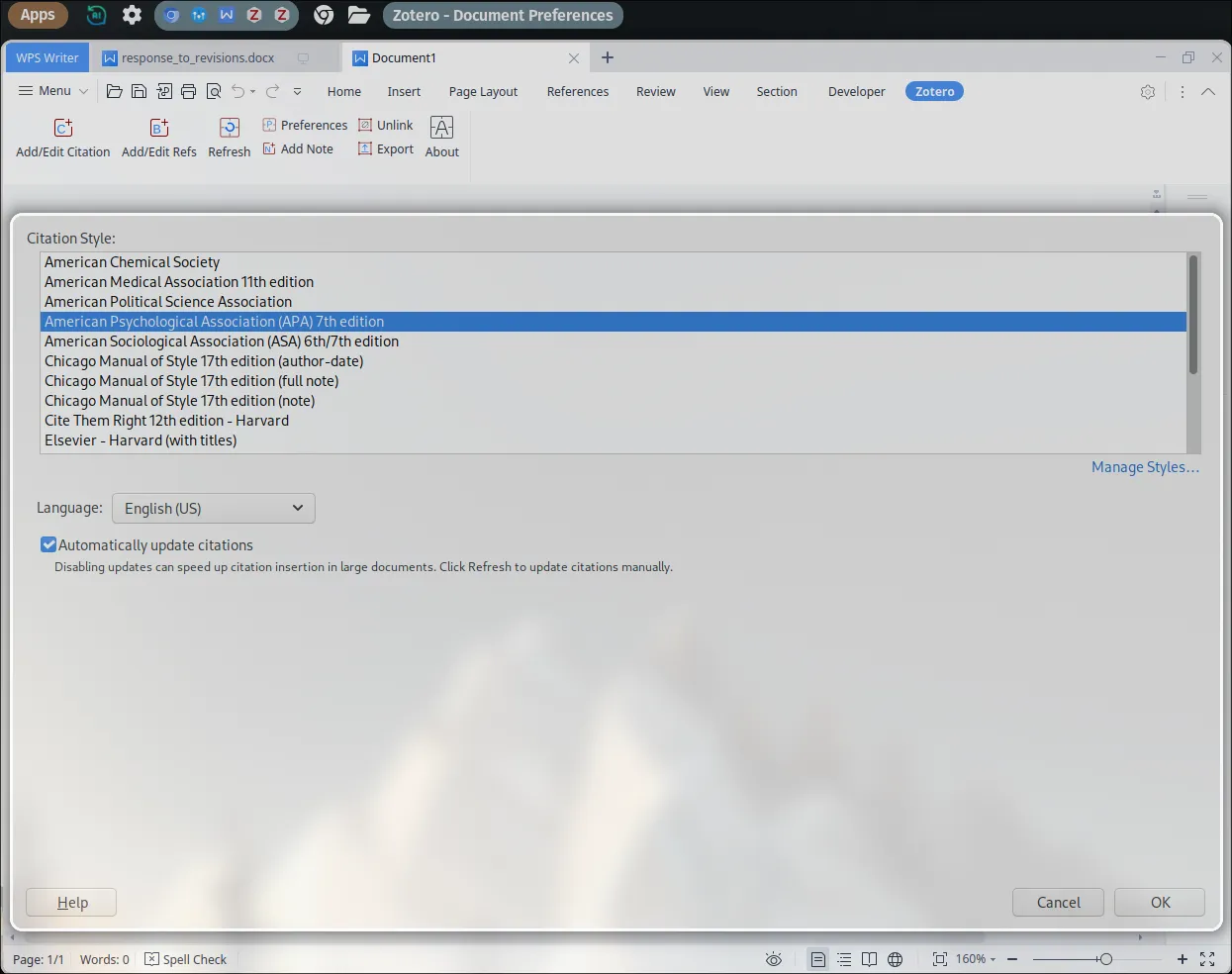
It was easy to install by following these steps
1. git clone https://github.com/tankwyn/WPS-Zotero.git2. cd WPS-Zotero3. ./install.py… and that’s it
Straight out of the box the plugin works for WPS Office
Maybe time to write using latex?
-
I have thought about this for a while
-
I use neovim and do a lot of writing just using markdown files
-
I think that I would really like to be able to move entirely away from relying on a word processor program but for things like making presentations I don’t see any other alternatives than either using online Microsoft Office, Google docs, LibreOffice or WPS Office
-
In neovim I can create and automatically preview markdown files in a browser
-
I can then use the zotero plugin to put references into the markdown file from zotero
-
I can then convert this markdown file to a .pdf or .docx with a filter to render the references from the zotero plugin first, and then a second filter to render these references into apa style for example:
pandoc test.md -o test.pdf -F otref.py --citeproc --csl /mnt/g/apa.csl
-
Then with some yaml header and some additional formatting specific to latex and/ or pandoc rendering inside the document itself its possible to get a document that looks pretty nice
-
Pandoc additionally supports some html tags too for example:
<span style="font-variant:small-caps;">This will be in small caps!</span>
(Even quarto renders the html tags, but this makes sense since it is essentially a wrapper for pandoc that also executes and runs r and python code This will be in small caps!`)
Therefore, I think in the future I will be switching to using just a markdown editor like neovim will be beneficial in the long run. It makes sense that the idea of a word processor is to write words and not to be spend hours upon hours formatting and getting everything to look pretty.
Here’s a blog post I like that shows of vims power in latex using snippets
Reactions
Comments
Loading comments...